What MyNextOffer does
MyNextOffer matches you with programs that fit, finds the coaches who recruit your position, drafts an email to each from your profile, and shows you who opened it. Here is every tool in detail, with screenshots of the real product.
Find
Find the programs that fit.
Find schools, coaches and camps that fit.
- School FinderEvery program in your sport, filtered by division, location and academics
- Coach DatabaseDirect contacts for the coaches who recruit your position More on Coach Database
- Camp FinderCamps and showcases where those coaches will be More on Camp Finder
Free Profile · no credit card required
Plan
Know what to do now and next.
Know what you should be doing now and what comes next.
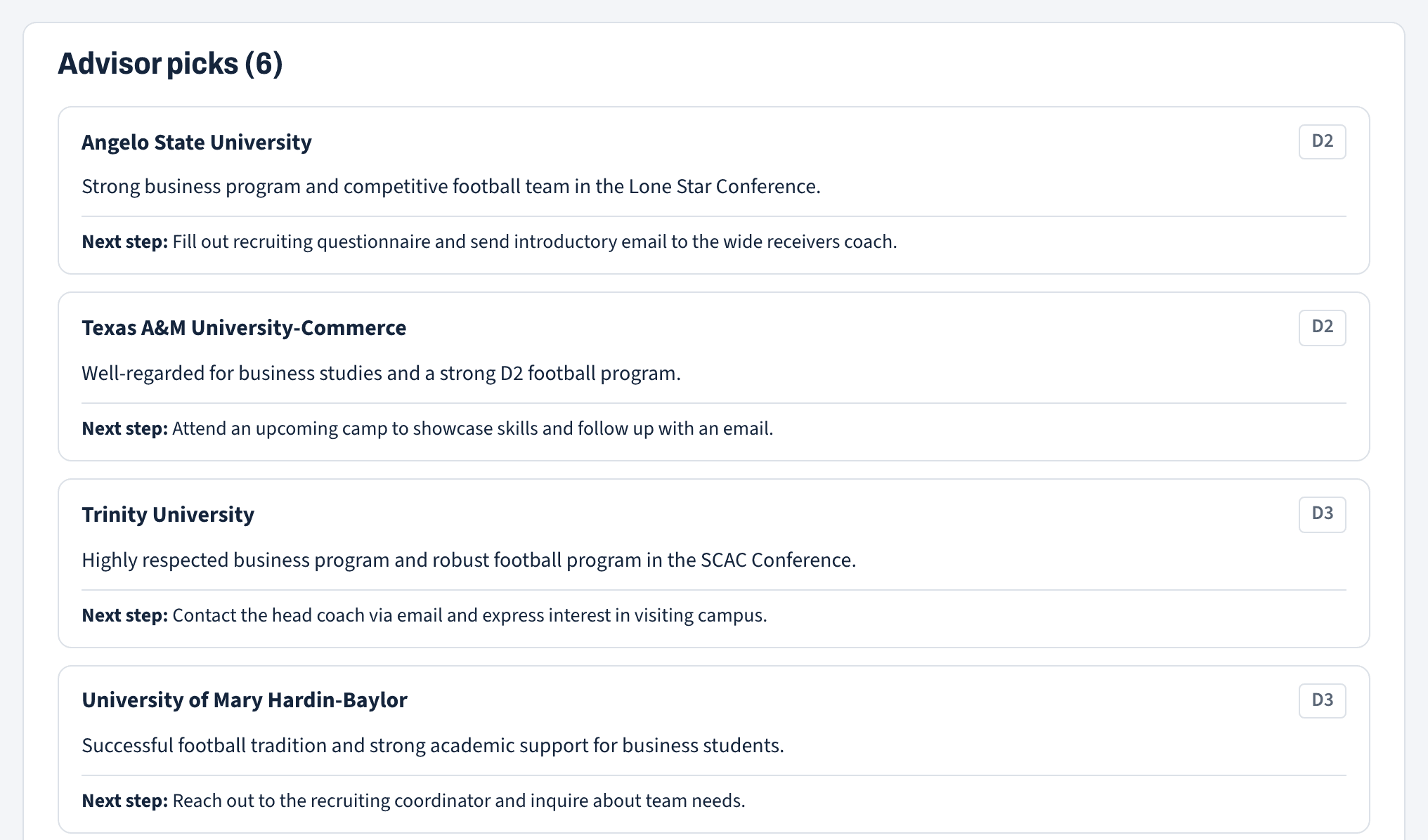
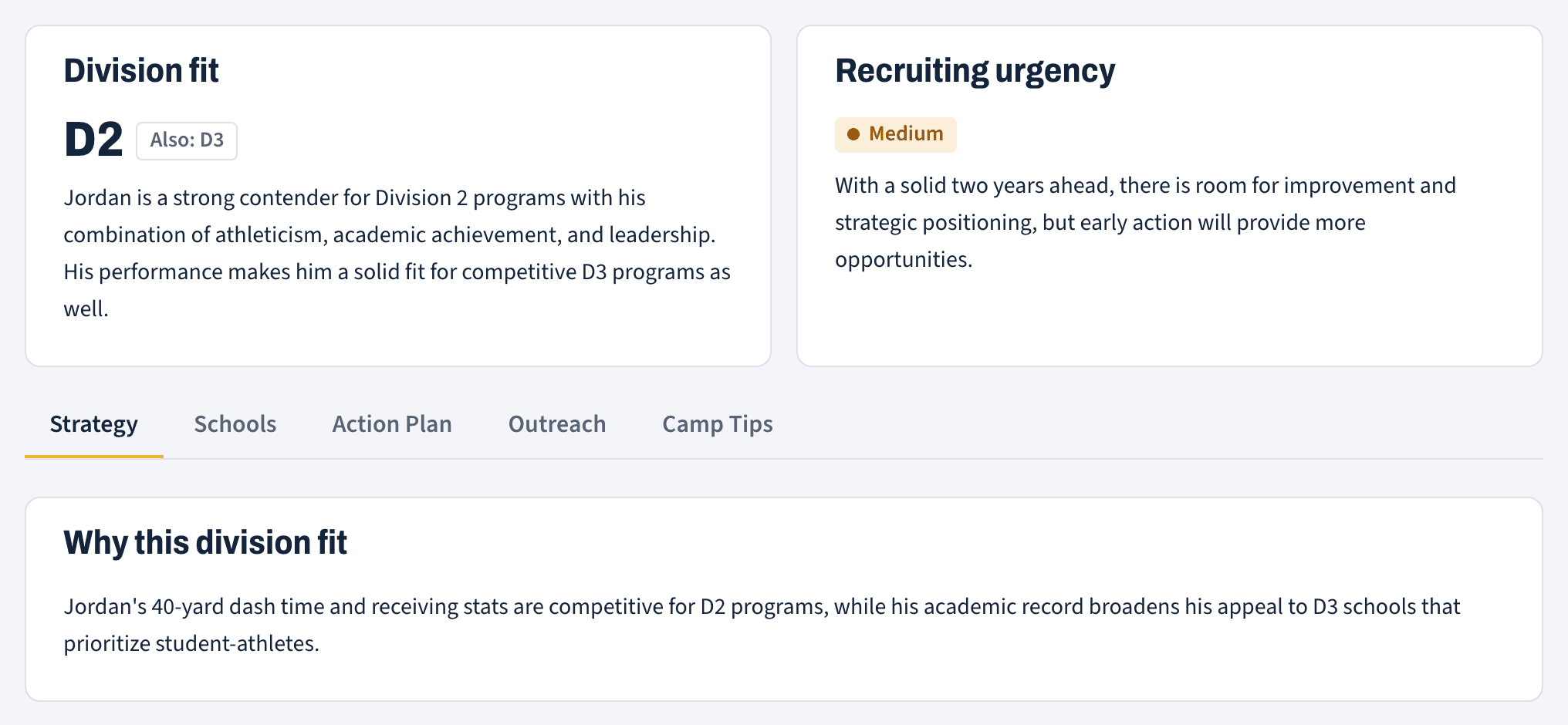
- AI Recruiting AdvisorYour division fit, target schools and a 30-day action plan
- Recruiting AssistantAsk which colleges fit, which coaches to contact next and who hasn't replied, answered from your own profile and contacts More on Recruiting Assistant
- Recruiting CalendarNCAA contact and dead periods, synced to your phone
- Eligibility TrackerCore courses, GPA and test requirements
Beyond coach emails
Recruiting dates for your sport, camps, NCAA eligibility rules and a plan for what to do next.
- Step 1Understand recruiting dates
Contact, quiet and dead periods for your sport, alongside your camps and follow-ups.
Recruiting Calendar - Step 2Find camps and opportunities
Camps and showcases in your sport, filtered by date, grade and location.
Camp Finder - Step 3Follow recruiting guidelines
NCAA contact rules by division, plus the core-course and GPA requirements that keep you eligible.
NCAA Rules · Eligibility Tracker · Recruiting Tips - Step 4Build a personalized plan
Your division fit, target schools and a week-by-week plan for what to do next.
AI Recruiting Advisor
Free Profile · no credit card required
Reach
Reach the right coaches.
Write to coaches from your own profile.
- Coach emails written from your real profile, stats and film, sent from your own Gmail More on AI Coach Email
- Recruiting posts and DM scripts for X and Instagram
- Call & Visit PrepThe questions to ask each coach on your list, by topic, from playing time to scholarship terms More on Call & Visit Prep
A coach email written from your profile.
The AI reads your profile (stats, position, GPA, grad year and film) and drafts an email to a named coach. You review it, edit it and send it.
- Addresses the coach by name and title
- Mentions the program's division and location
- Includes your real stats and achievements
- Ends with a clear, specific next step
- You edit every line before it goes
Send from your own Gmail.
Connect your Gmail and coach emails go out from your own address, not a recruiting service's.
- Your name, your addressCoaches see an email from you, not from a recruiting service.
- Replies come to youCoach replies land in your own inbox, and every email you send is in your Gmail Sent folder.
- Send-only accessMyNextOffer asks Google for permission to send email only. It can't read your inbox.
- Disconnect anytimeRemove the connection from Settings in one click.
Gmail sending is included on every paid plan.
Free Profile · no credit card required
Track
See what happens after you send.
Know who you've contacted, who has engaged and who needs a follow-up.
- Outreach TrackerSee when coaches open your email and click your highlight film link, so you know which programs are engaging More on Outreach Tracker
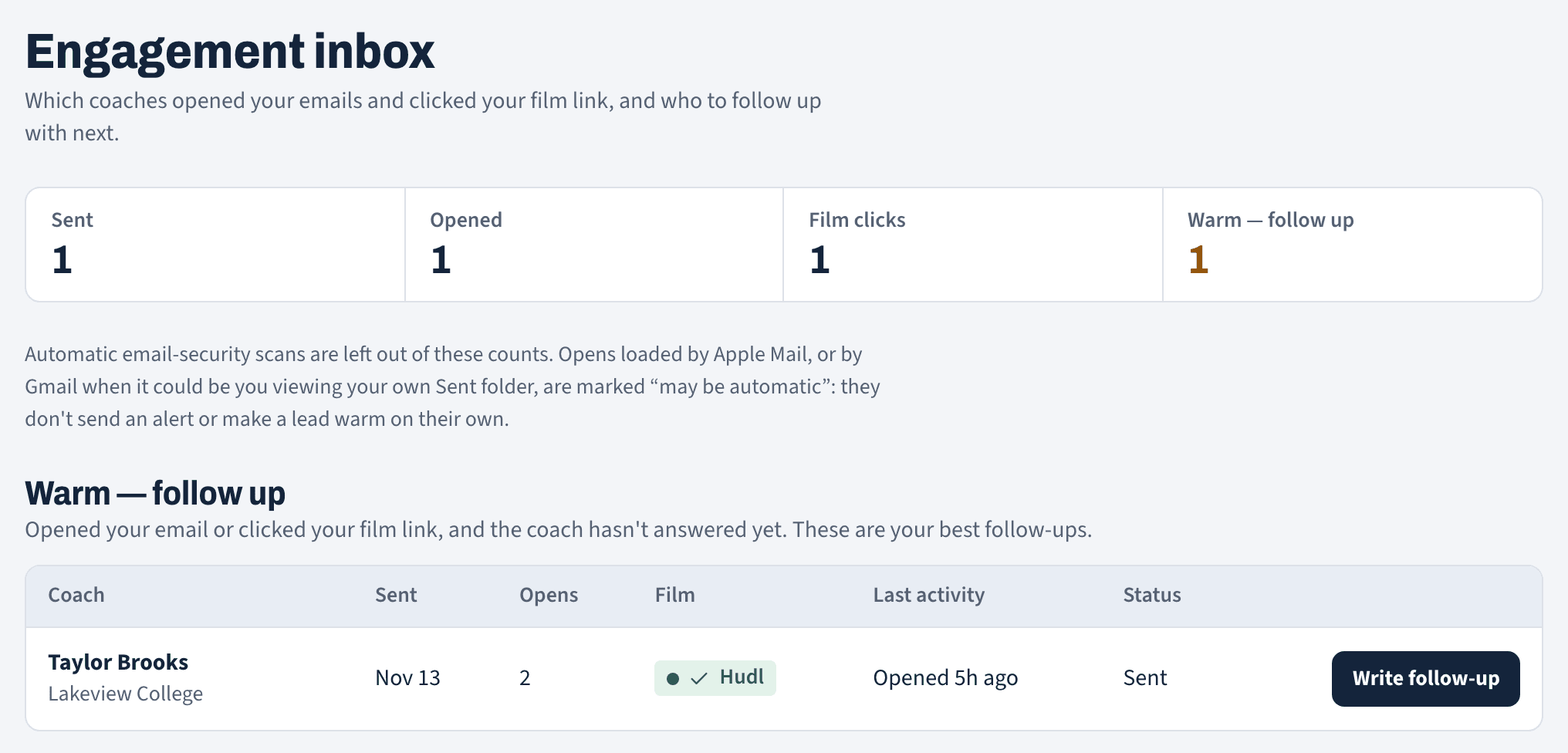
- Engagement InboxEvery coach who opened your email or clicked your Hudl or YouTube film link, newest first, with a one-click follow-up
- Follow-up reminders on the date you set
- Recruiting pipelineEvery coach from first email to campus visit to offer
Sent → opened → film clicked → follow-up due.
See when a coach opens your email or clicks your film link.
- Email sent
Sent from your own Gmail, logged against that coach.
- Opened
When the coach opened it, and how many times.
- Film link clicked
The coach clicked through to your Hudl or YouTube highlights.
- Follow-up due
A reminder on the date you set, and one click writes the follow-up.
Open and film tracking apply to emails sent from MyNextOffer through your connected Gmail. Film-link clicks are tracked for Hudl and YouTube links.
Engagement Inbox: who to follow up with today.
One list of every coach who opened your email or clicked your film link, most recent first.
- Which film they watched
Hudl and YouTube links are tracked separately, so you know which highlight the coach clicked.
- Warm leads first
Coaches who engaged but haven't answered yet, with the last time they opened your email or clicked your film link.
- Alerts when they come back
A notification the first time a coach opens your email or watches your film, and again if they come back a day or more later.
- One-click follow-up
Write a follow-up to that coach straight from the inbox.
Automatic email-security scans aren't counted as coach activity. Opens loaded by Apple Mail, or by Gmail when it could be you viewing your own Sent folder, are marked "may be automatic" and don't send an alert or make a lead warm on their own. Included in Starter, Pro and Premium.
Free Profile · no credit card required
At a glance
What it does. What you get.
Each one is shown in the sections above or on its own feature page.
School matching
Schools ranked for your division fit, academics and intended major, local to national.
See it: School matching ↑Coach matching
The coaches at those schools who recruit your sport and position, with their direct contact details.
See it: Coach matching ↑AI Recruiting Advisor
A division-fit read and recruiting urgency, written from your own stats, academics and grad year.
See it: AI Recruiting Advisor ↑Personalized coach outreach
A first-contact email to a named coach, written from your profile, in the tone you pick. You edit it before it goes.
See it: Personalized coach outreach ↑Sent from your own Gmail
Emails go out from your Gmail address with send-only access, and replies land in your own inbox.
See it: Sent from your own Gmail ↑Email open tracking
When a coach opens an email you sent through MyNextOffer, it shows up in your Engagement Inbox.
See it: Email open tracking ↑Highlight-film engagement
When a coach clicks your Hudl or YouTube link from your email, it shows as film link clicked.
See it: Highlight-film engagement ↑Outreach tracking
Every coach you contact, by stage, with follow-up dates.
See it: Outreach tracking ↑Recruiting timeline
A week-by-week plan from the AI Advisor, alongside NCAA dates for your sport in your calendar.
See it: Recruiting timeline ↑Camps and showcases
Camps for your sport, filterable by date, grade and gender, added to your calendar in one tap.
See it: Camps and showcases ↑
Start with a Free Profile.
Build your profile and see your AI Division Fit. Pick a plan when you are ready to reach coaches.
Free Profile · no credit card required